

Step 1 — Decide what’s live
Start on the Website author profile page.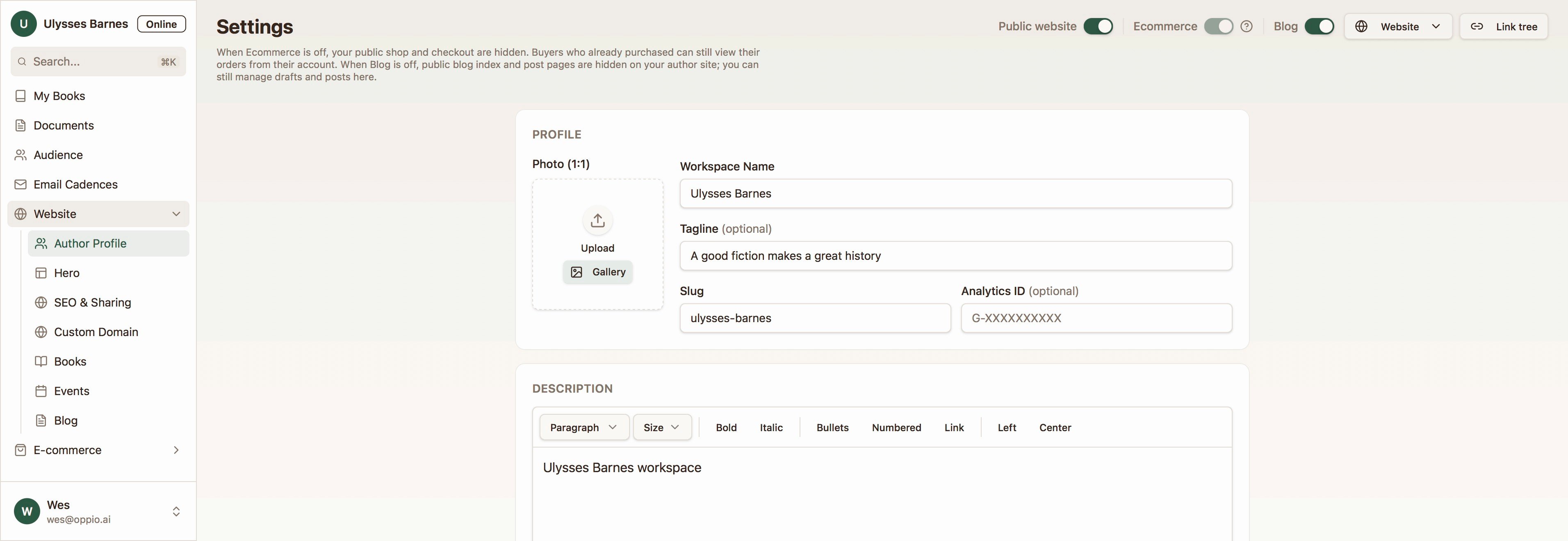
- Public Website — your homepage, book pages, link-in-bio, contact form, and mailing list signup
- Ecommerce — products, cart, checkout, and buyer accounts. You’ll need to complete the seller onboarding to enable this feature.
- Blog — blog index, posts, comments, and subscribe
Step 2 — Set up your author identity
Your Author Profile is the persona readers see everywhere on the site. Fill in your display name, URL slug, tagline, bio, portrait, social links, and up to five custom call-to-action buttons (e.g., “Pre-order Book 4” or “Join my ARC team”). Add Featured In links for press mentions — CabinsPress generates preview cards from the URLs automatically. → Author ProfileStep 3 — Brand your site
Use Website Theme to match your visual identity: background, text, accent, button, and border colors, plus Google Fonts for headings and body. A live preview shows changes before you save. The theme applies consistently across your homepage, book pages, blog, shop, ARC pages, and link-in-bio. → Website ThemeStep 4 — Configure your books for the public
Each book has its own website settings, separate from the manuscript. Set the public URL slug, visibility (hidden, coming soon, or active), sort order on the homepage, public description, and SEO overrides. Drag books to reorder them on your homepage book list. When a book is active, readers see a Public Book Page with cover, description, retailer links, aggregated reviews, content descriptors, and — if your shop is on — a buy button or redirect to the shop product. → Per-Book Website Settings · Public Book PageStep 5 — Add optional content
These features are ready when you are:Step 6 — Polish discovery and sharing
Before you share your site widely:- Set default and per-book SEO & social sharing images and descriptions so links look good on Twitter, Facebook, iMessage, and in search results.
- Connect a custom domain (e.g.,
janedoeauthor.com) instead of the defaultcabinspress.com/authors/your-slugURL. CabinsPress walks you through DNS setup and provisions a security certificate automatically. - Add URL redirects on your custom domain for stable short links (e.g.,
/arc→ your current ARC signup page).
What readers see
Once your toggles are on and your content is configured, here’s the public experience:- Author Homepage — hero with portrait, bio, and CTAs; published works; upcoming events; featured press; footer with social links, contact, mailing list signup, and blog link
- Public Blog Index and Public Blog Post Page — searchable archive with tag filters
- Public Events Listing and Event Detail Page — searchable upcoming events with local times
Your shop, ARC signup pages, and mailing list signup are covered in their own sections — the website builder connects them into one cohesive author presence.